Classic horizontal rows
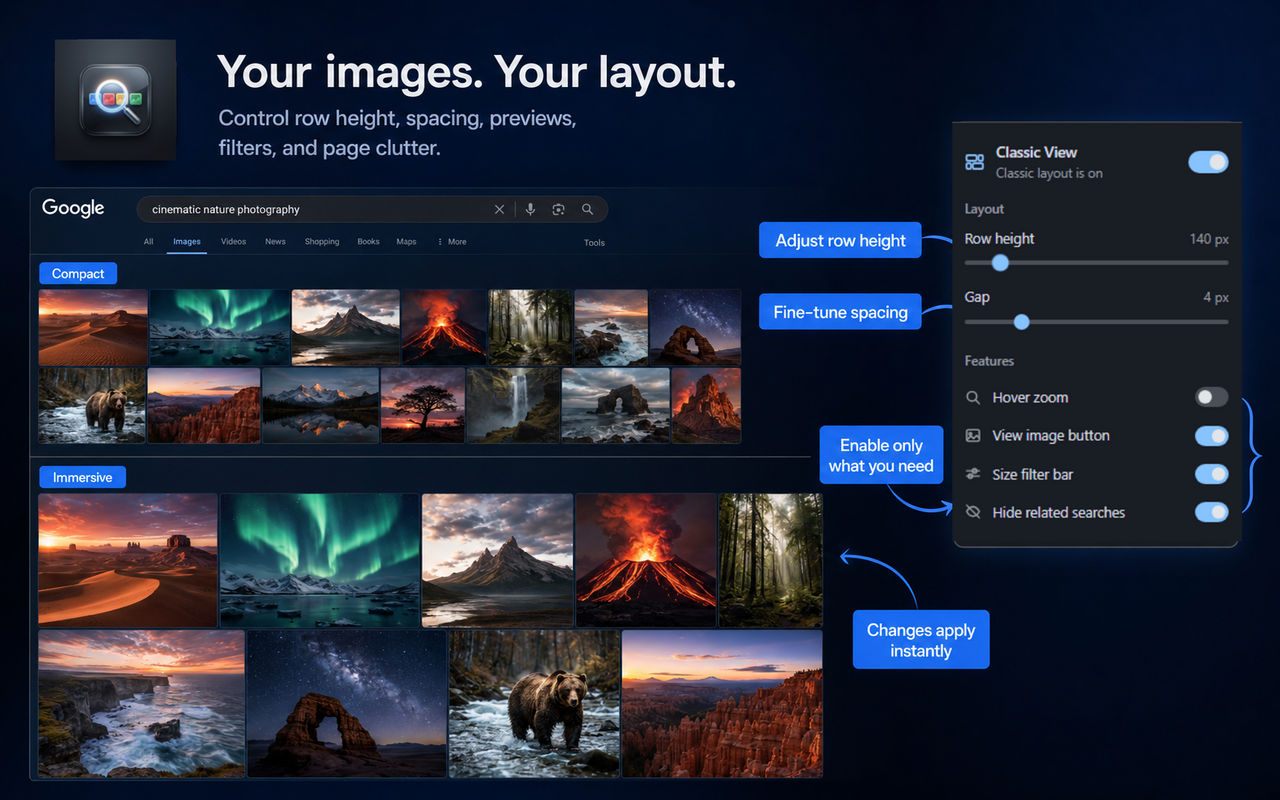
Replace the uneven masonry grid with aligned, justified rows. Images keep their natural aspect ratios without awkward vertical cropping.
Free Chrome extension
Replace the modern masonry grid with classic horizontal rows. Preview images on hover, open originals directly, filter by size, remove clutter, and mark or hide likely AI-generated results.
 No tracking
No ads
No tracking
No ads
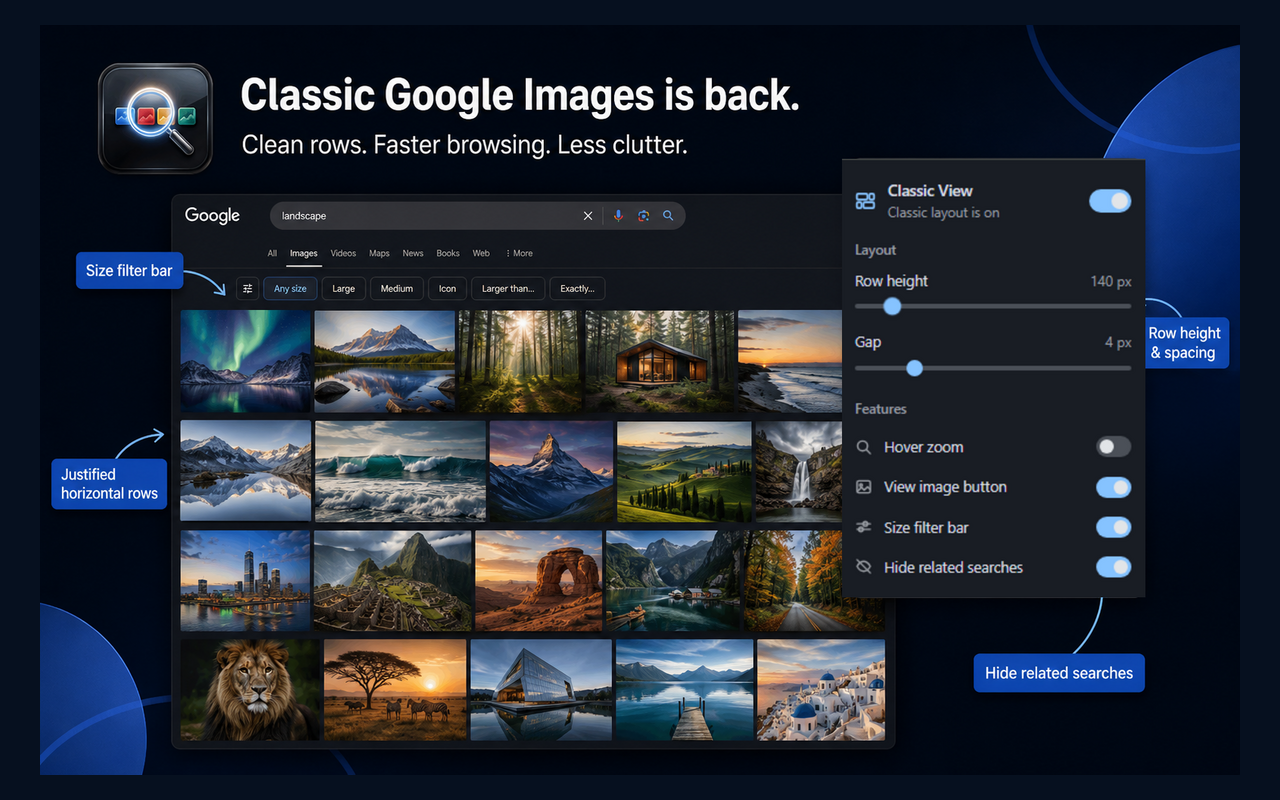
Old layout, restored.Justified horizontal rows that are easier to scan.
Built for desktop search.More useful images on screen, with fewer distractions.
Private by default.Your searches and browsing history never leave your browser.
A better way to browse
Classic View changes how results are presented without replacing Google Search or sending your searches anywhere else.
Replace the uneven masonry grid with aligned, justified rows. Images keep their natural aspect ratios without awkward vertical cropping.
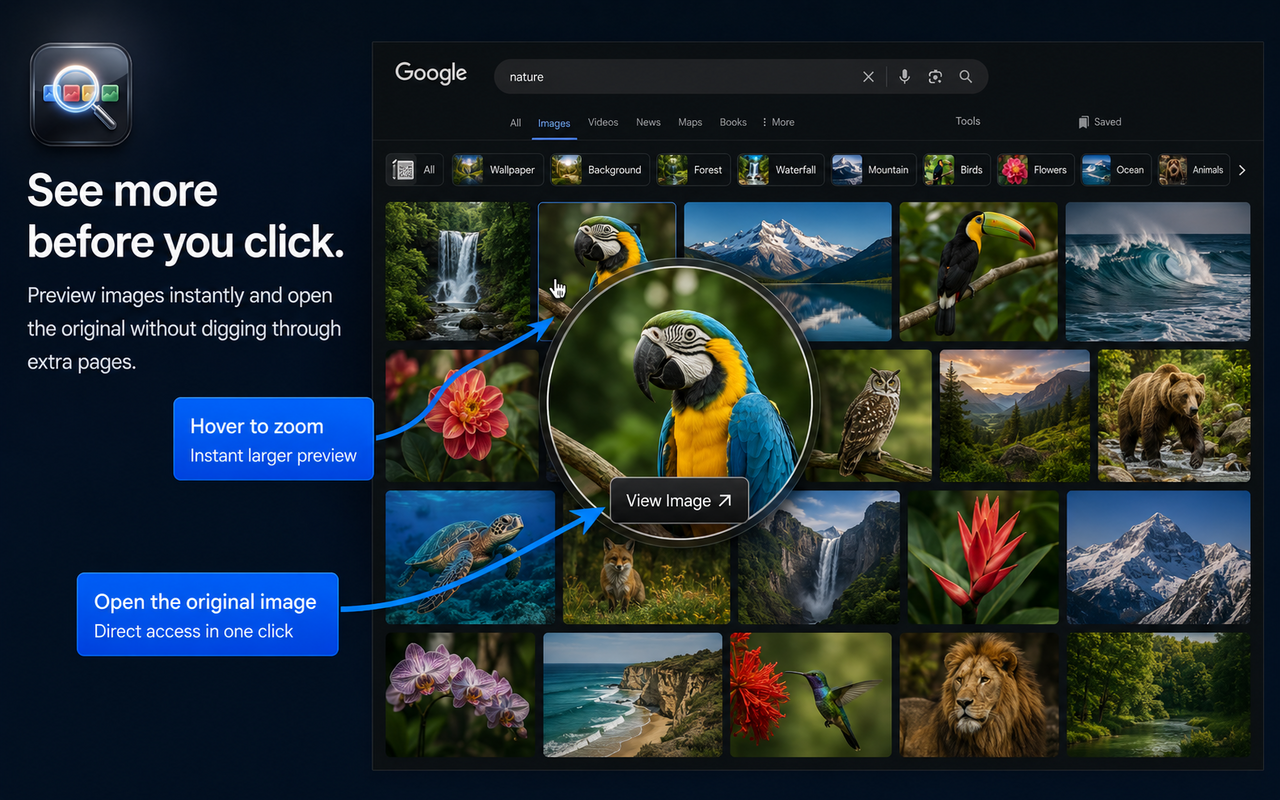
Move your cursor over a thumbnail to see a larger preview. Smart positioning keeps the preview inside the viewport.
Open the original image in a new tab directly from the result. No extra preview panel and no unnecessary detour.
Switch between All sizes, Large, Medium, and Icon from a compact bar positioned above the image results.
Hide related searches blocks and carousels when you want the page to focus on the images you searched for.
Show a small AI badge on likely AI-generated results or remove those results from the grid. Detection uses page labels, result text, source domains, filenames, available metadata, generator names, and AI-specific searches.
Adjust row height and spacing, then enable only the features you need. Changes apply instantly and sync through Chrome.
Open a prefilled GitHub issue from the popup when Google changes the page. Nothing is submitted until you review and send the report yourself.
Classic View brings horizontal image rows back to Google Images in desktop Chrome. You can adjust thumbnail height and spacing, turn on hover previews, and add a View image button from the extension's popup.
See it in action
Watch the short walkthrough to see the horizontal row layout, image previews, size filters, and customization controls.
Chrome Web Store
5.0 rating from Chrome Web Store reviews — classic rows, View Image, and hover zoom keep coming up.
5.0 ratings on the Chrome Web Store
I missed the old horizontal layout and the direct View Image button. This extension fixed Google Images completely for me. Hover zoom works smoothly, pages load fast, and no more messy staggered grids. Highly recommended for desktop users!
This extension is a total game-changer! It perfectly restores the classic Google Images layout, making browsing feel so much cleaner and more organized. The hover zoom preview and the return of the View Image button are fantastic touches.
Exactly what I was looking for. It brings back the old Google Images layout, the hover zoom works smoothly, and the View Image button is incredibly useful. Simple, lightweight, and makes image searching much more enjoyable.
Classic View brings back a cleaner and more organized image browsing experience. I like the restored horizontal grid layout, hover image preview, and the return of the View Image button, which make finding and opening images much faster.
Private by design
Classic View does not collect, store, sell, or transmit personal data, search queries, browsing history, IP addresses, or user identifiers. AI image detection uses information already visible on the results page and runs locally. Images are not uploaded for analysis. Only your preferences are saved through Chrome’s built-in storage.
Read the privacy policy →FAQ
Short answers for people searching for the classic layout, an old Google Images extension, or a cleaner desktop grid.
Install Classic View for Google Images from the Chrome Web Store. Open Google Images and the extension restores justified horizontal rows automatically. Adjust row height, spacing, hover zoom, and clutter controls in the popup.
Yes. Classic View is a free Chrome extension for the classic Google Images layout: horizontal rows, View Image, hover zoom, size filters, and optional related-search hiding. See the Chrome extension guide.
Google Images moved to a masonry-style grid that can crop thumbnails unevenly and feel harder to scan on a wide monitor. Classic View puts results back into clean horizontal rows. More detail in how to restore the old layout.
No. It does not collect search queries, browsing history, IP addresses, or identifiers. Only layout preferences sync through Chrome storage. Read the privacy policy.
Yes. The extension can mark or hide likely AI-generated results using labels and information already present on Google Images, including result text, source domains, filenames, available metadata, generator names, and AI-specific search queries. Detection is rule-based, runs locally, and may produce false positives or miss unlabelled images.
Free. Lightweight. Focused.